Using Convertigo Low Code Studio on a PC without Internet access

To create a new project in the Low Code Studio, you need an Internet access to download the project templates from our Github repository. Only the first time, for each projects type.
For NgxApp, when you build the application for the first time, you also need access to the NPM repository to download modules. Only once too.
What if your PC does not have Internet access set up?
We have created a ready to start workspace with a starter project without the need of Internet access.
Follow the step-by-step instructions below:
Download the Convertigo Workspace archive at https://drive.google.com/file/d/17AKGwyIakZ4YKKMMQqowh9mFWXGtxEvV/view?usp=sharing
Unzip it in a place you have full rights on folders and files.
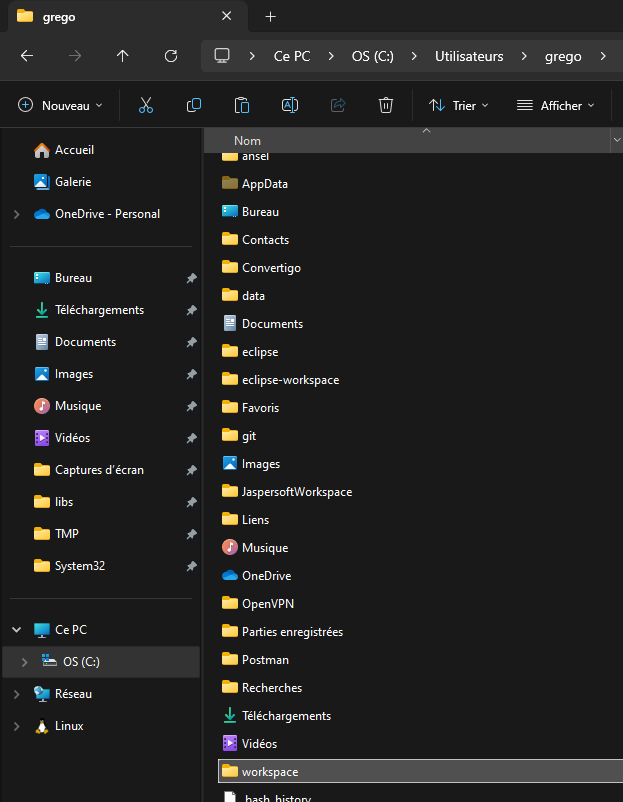
Unzip the wokspace.zip file on your PC
Start your Low Code Studio and choose the workspace folder
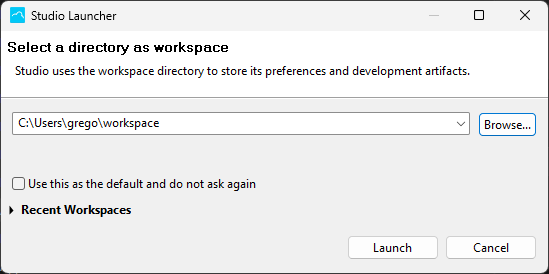
Select the workspace folder in the Convertigo Studio
Once the Convertigo Studio has started, you will have a “Starter” project in the Projects tab of the Studio.
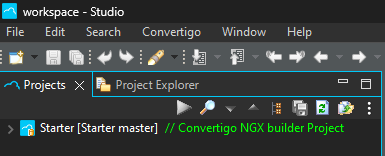
Starter base project for Fullstack Web/Mobile applications
The “Starter” project is the base for all your new fullstack Web/Mobile applications. Just copy and paste it with a new name and you will be ready to start new amazing projects!

If your project needs specific external libraries, you will have too install them manually